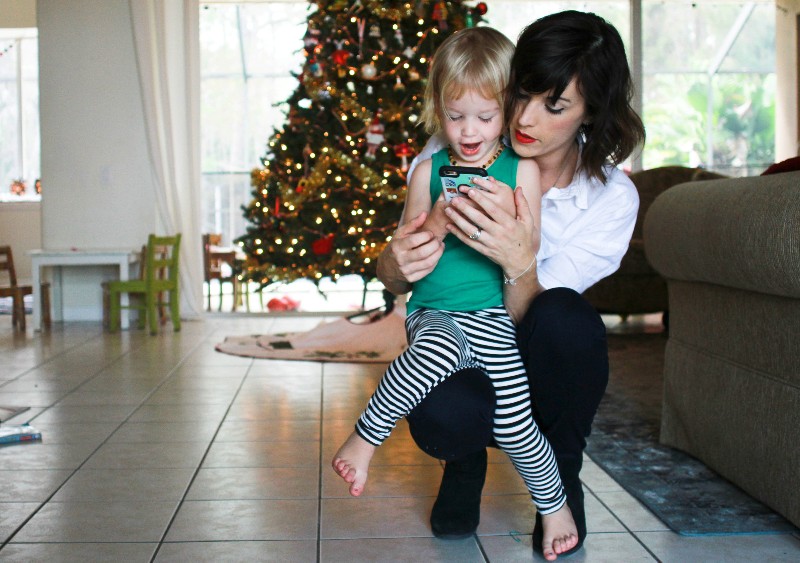
This post is sponsored by Circle.


Shown me this photo twenty years ago and I would have thought it was a scene from the Jetsons. A flat screen you can hold and control? Tap with a finger and see what’s going on in the rest of the world? Connect to live streams, watch cat videos, drop a refrigerator in a virtual cart and have it land on your doorstep the next day, see what your neighbor’s eating for breakfast right this minute because he posted it to–what is it you call it, Facebook? You crazy cat, that’s INSANE!
Welcome to the Internet age where we can access the world with a touch of a button. Where toddlers navigate technology better than we can. Where raising kids presents all new opportunities but also fears! So much information, not enough firewalls! I’m still slightly traumatized from my teaching days when I was using the projector to show my fifth graders how they could use Google Images to find research photos for their reports and, in what I thought would be a harmless search example, I typed in “Ferrari” and what came up on the full-size screen was BOOBS! BOOBS ON A FERRARI!
If you’ve been on the Internet, you know there isn’t a search word in the dictionary that isn’t the gateway to boobs. And it’s sad considering the Internet is also full of so many incredible things that benefit our kids–learning tools, math games, creative design opportunities, books, films, stories, chances to see places of the world without a plane ticket.
As parents, we share a love/hate relationship with all of this access, and a lot of the hate part comes from monitoring. We love the good things our kids are tapping into, but we want to monitor how much of it they get and where it comes from.

There’s an incredible easy solution for this, and yes it looks like something from the Jetsons. A simple little box called Circle and an easy-to-use app that goes along with it.

Circle offers a tool that parents have always wanted but never had–the ability to monitor our family’s access to the Internet. Circle allows you to monitor every single device connected to the Internet in your home and visibility into your family’s online experiences.
Love that your child gets creative with Minecraft but want to set a time limit for how long he uses it?
Appreciate the new tablet Grandma and Grandpa gave your child but want to filter what sites she’ll be able to access?
Want to be able to pause the Internet on your home devices while you sit at work?
Circle can do it for you! And you don’t have to be the bad guy.
When we got our Circle device in the mail, I set it aside for Brett to set up because I assumed it was techy and complicated, and Brett loves to prove his manliness with accomplishing the greatest techy and complicated tasks. But he finished setting it up in no time at all, and we walked through programming the devices together. “Why are you so intimidated by this?” he asked me, “See how simple it is?”
And it is!

Name the device…

And then set up all the filters.

You can specifically manage different platforms…

…set sleep times for Internet access on specific devices…

…manage daily time limits…

…and specify what devices you don’t want filters on. Anything can be altered by you at any time with a simple swipe or screen touch.

Both Brett and I were super impressed with how easy Circle is to manage, and it feels good and responsible to monitor the access to the Internet in our home. We continue to make family time a priority and manage screen time and access in our home, and I love having the extra peace of mind in creating that balance.


No accidental boobs on Ferraris here. As a mom, that feels good to know.



Mine is on it’s way! So excited about this product!
Any chance there is a discount code for your blog followers?
True story…had my middle school age son with me at work one Saturday. I set him up on a computer to keep him occupied while I caught up on some files. (this was several years ago, before Facebook and such & the internet was fairly new still) After a little while, he got bored and asked what else should he look up. Me, thinking I could turn this into something educational suggested he look up the White House and take a tour!! A win for mom, great thinking, right??!! Ummmm….that would be a big, fat NO!!! All of a sudden I hear, “Ummmm mom. I don’t think this is what you had in mind is it?” I glance over and sure enough, a straight up porn site! (I’m pretty sure this was during the Clinton administration but I don’t know if that had anything to do with it…just saying!) We later found out that anything government related is “.org”, not “.com”!!! And, I quickly learned just how easy it was for someone to access this stuff…just a click away!! There’s even more out there now, so I can only imagine how hard it is for parents to stay a step ahead!!
Wow, the same thing happened to me many years ago! I was in computer class and the teacher frantcially told us to ingore one of the sites she had told us to look up – it was a porn site. But it had something about the White House in the name. She said, if you look that up it will not take you to the White House!
So funny, I’ve heard this about the White House site from several people!
Buying it now – thanks !
This is brilliant! Thank you for the tip
How does it work if the device is using data instead of wifi? Do the controls only work through wifi?
I love this option. My husband and I have agreed that we will make our 4 kids childhood as much unplugged as possible. But the reality is that there are so many amazing learning apps for our kids that keeping them completely unplugged is nearly impossible. I love that you’re able to monitor all devices, set time limits and feel like you can continue to impliment your desires for keeping them as unplugged as possible. Our 7 year old son struggles with reading. His resource teacher sent home a list of websites he can visit to help. I set him up the other afternoon with a site and went on cooking dinner, (I have 4 kids, I can’t sit right next to him the entire time). Much to my dismay, but not surprise, he quietly navigated off the site and onto youtube where he was watching pokemon unboxing. He has almost zero screen time at home, I have no idea how he even knew how to do this, he said he learned it in the computer lab at school, yikes!) Everything is accessible to kids. I love that CIRCLE helps you be present even if the duties of parenthood take you away for a few minutes. This will definitely be under our tree…a gift for myself. Thank you so much for sharing, I completely trust you’re recommendations!
My friends has a 3 year old that can get on to YouTube and use the talk to text to look up pony videos. And she can’t even read. I wouldn’t be surprised that a seven year old would be able to do it 🙂
These were $79 earlier in week – too bad you didn’t review then. This was just launched & connects wirelessly to answer the other commenters question. One snag is it works per device not kid so if one kid uses his you tube time on laptop and switched to iPad he isnt restricted.
It’s really interesting, I would love to buy one..unfortunately they don’t sell in Europe 🙁
I haven’t had a hard time limiting screen time etc. with our youngins just yet, but we of have a fifteen year old, and that’s been a whole other couple of tea. I’m going to look into this. Any chance we Canadians can order one?
Howdy
This is fab does this extend to the UK I want one 🙂
I am SOOOOOOO buying this!!